Everything in our DSL modem trauma came to a head yesterday when my wife tried to call home but couldn’t get the phone to ring. It would ring briefly on her end, then go directly to busy or static. We confirmed this with a FaceTime call, since our DSL was working at the time. Before calling for ATT support again, I ran through all the options I could think of inside, including running new line to our phone box on the house and new phone cords, DSL filter, etc. Eventually, I even took the phone outdoors to the box and used my cell phone to call it. Still no luck. (Note to self: try the last step first next time!) That confirmed that the problem was with the line, not the phone, so I called ATT.
Their phone support for home phone issues is Byzantine to put it mildly, but after navigating all of the options, I got to where it would test my line and put in a service request. What was frustrating was that I never was able to talk to a human, and I had to hang up the phone so they could test it. They never called me back, though eventually, I was able to check online to see the status of my request. There I confirmed what the phone message had told me: they promised to have the service problem resolved in a week and a day. Naturally, that didn’t make me very happy, but I was glad when a couple hours later a very helpful service technician arrived to check out my line.
He used some fancy testing apparatus and could tell there were problems coming into our house. Eventually, he climbed a pole and fixed something there. We confirmed that the line was working again (he called me on it) and that our DSL was back up (and it hasn’t gone out since). He agreed that the phone line problem may have led to the DSL connection problems, though he didn’t say for certain that was to problem. Since we don’t have inside wire maintenance, he didn’t do any testing in the house other than to call in and check the internet connection.
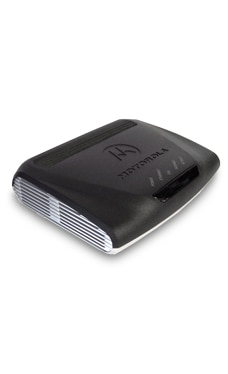
What I suspect is that we were losing our signal periodically (every few minutes or every few hours) due to the problems on the line. The Motorola 3360 modem isn’t good at reestablishing the connection in Bridge Mode, but does better when you set the modem to establish the PPPoE connection. At least that’s what I’m hoping. And I hope that now that the line problem is fixed, the modem will work in Bridge Mode because it won’t lose the connection all the time. So far, so good. In over 12 hours, we haven’t lost our connection yet. Interestingly, when I called DSL support, they tested the line, and it checked out okay — there were no internet outages, and our speed test when connected was actually quite good — but they didn’t uncover the phone line issue. That took finding out that people couldn’t dial in (we could dial out and establish DSL).
So if troubleshooting a DSL issue, I would recommend testing your phone line. I can’t guarantee that you’ll always have the same problem we had, though you might experience static on the line (something we’ve noticed in the past as well). Check at the box where your phone line comes in the house (esp. if, like us, you do your own inside line maintenance) and rule out other problems in the home wiring before you call.

 Warning: for those who are looking for my thoughts on poetry or cooking, this is one of my techie posts. Now and then, I become a complete nerd. My apologies! Look around my blog for other more interesting stuff, if you’re not looking for arcane information on internet connections or Apple products.
 Yesterday, I learned that David Hernandez had passed away of a heart attack at the age of 66. He died in his beloved city, Chicago, on Feb. 25, 2013. (By the way, there is another David Hernandez, a poet from California, who is very much alive.)
